1.2 Sharing a project
 |
 |
 |
|---|---|---|
| Ex 1.1: Creating a new project | • | Ex 1.3: Organizing the images in a project |
In this exercise you will learn how to easily correct the problem of QuPath not finding the images after a project has been copied from one machine to another.
To go to the project folder you can right-click on the project name at the top of the image list and select Open directory...>Project... from the context-menu.
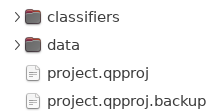
Fig. 1.4 – The content of the
project folder.
You could zip this folder and send it to someone else. You also need to make the images available to that person. When the receiver opens the project, QuPath will most probably not find the images, since the path to the folder containing them has changed.
To simulate this situation:
- Close QuPath
- Rename the folder containing the images
- for example from
01_multiplex_fluoto01-multiplex-fluo
- for example from
- Open QuPath
- Open the project
Qupath will show the Update URIs-dialog, containing a list of missing images.
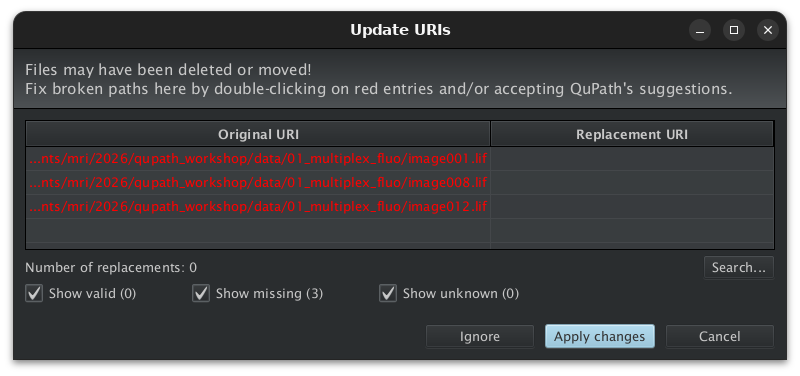
Fig. 1.5 – Update URIs.
Press the Search... button, navigate to the folder containing the images and select it. QuPath will automatically find the correspondences between the missing images and the images in the folder. Press Apply changes to accept the replacements.