 |
 |
|---|---|
| • | Ex 3.2: Setting Stain Vectors from Annotations |
3. Stain Separation by Color Deconvolution
In this section you will learn how to optimize the stain vectors for the color deconvolution in QuPath. You will see the results of the color deconvolution using the default vectors, using vectors estimated from regions in the image and using vectors found by the automatic estimation after the Macenko-method.
3.1 Using standard stain vectors
Aims:
- Find the default stain vectors
- Display the separated channels
Open the image 21.png from the 02_HE_images-dataset. Go to the image-tab. Set the image type to Brightfield H&E if that has not been done yet.
What are the stain vectors for Hematoxylin and Eosin?
Use the Brightness & Contrast tool or the channel viewer to see the deconvolved hematoxylin and eosin channels.
Has the stain separation been successful?
Open the image 20.png. Display the deconvolved hematoxylin and eosin channels.
Has the stain separation been successful on this image?
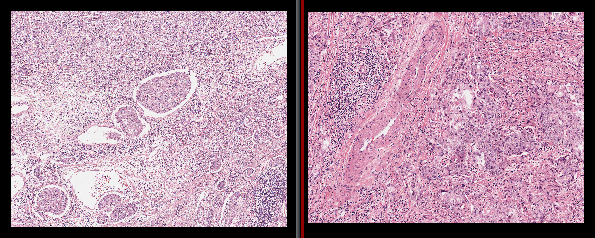
Fig. 3.1.1 – Stain variations betwwen different images.