Generate arcs from centrosomes
1. Tune the settings
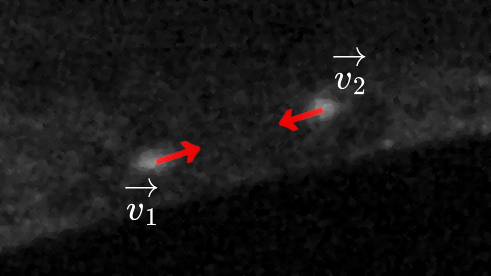
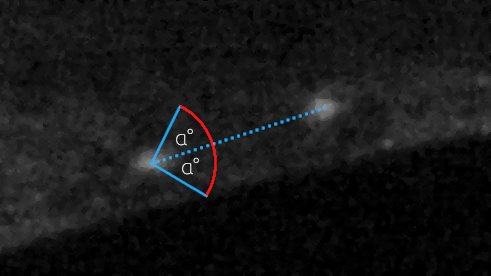
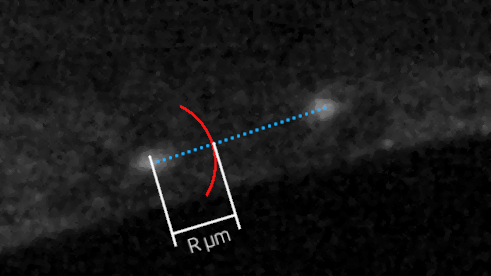
The arcs will be generated centered on the centrosomes and oriented using the direction vector from one centrosome to the other. The angle of the arcs is evenly splitted on both sides of this direction vector. This way, the arc always points from one centrosome to the other, and the kymograph will always be built in the same direction.
On the following figures:
R = Radius of the arc
A = 2×α = Angle of the arc
|
|
|
Name |
Description |
|---|---|
Radius |
The radius of the arc centered on the centrosome. |
Angle |
The angle of the arc centered on the centrosome. |
2. Launch the process
If you click on “Build arcs”, the process should be much quicker than the detection and tracking of centrosomes. There will be one new layer per arc (so, per centrosome) in the Napari viewer. The layers are named “_Arc XX” with XX being the ID of the centrosome.
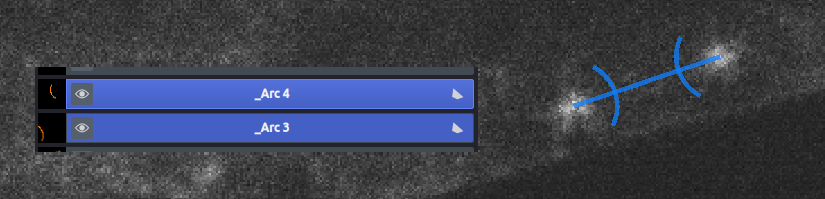
The two layers associated to the two arcs.